Make the trip part of the experience
Play your own welcome videos, destination highlights or a short introduction to the places passengers will visit. Use a slideshow for photos, or mix in uploaded videos to keep the ride interesting.
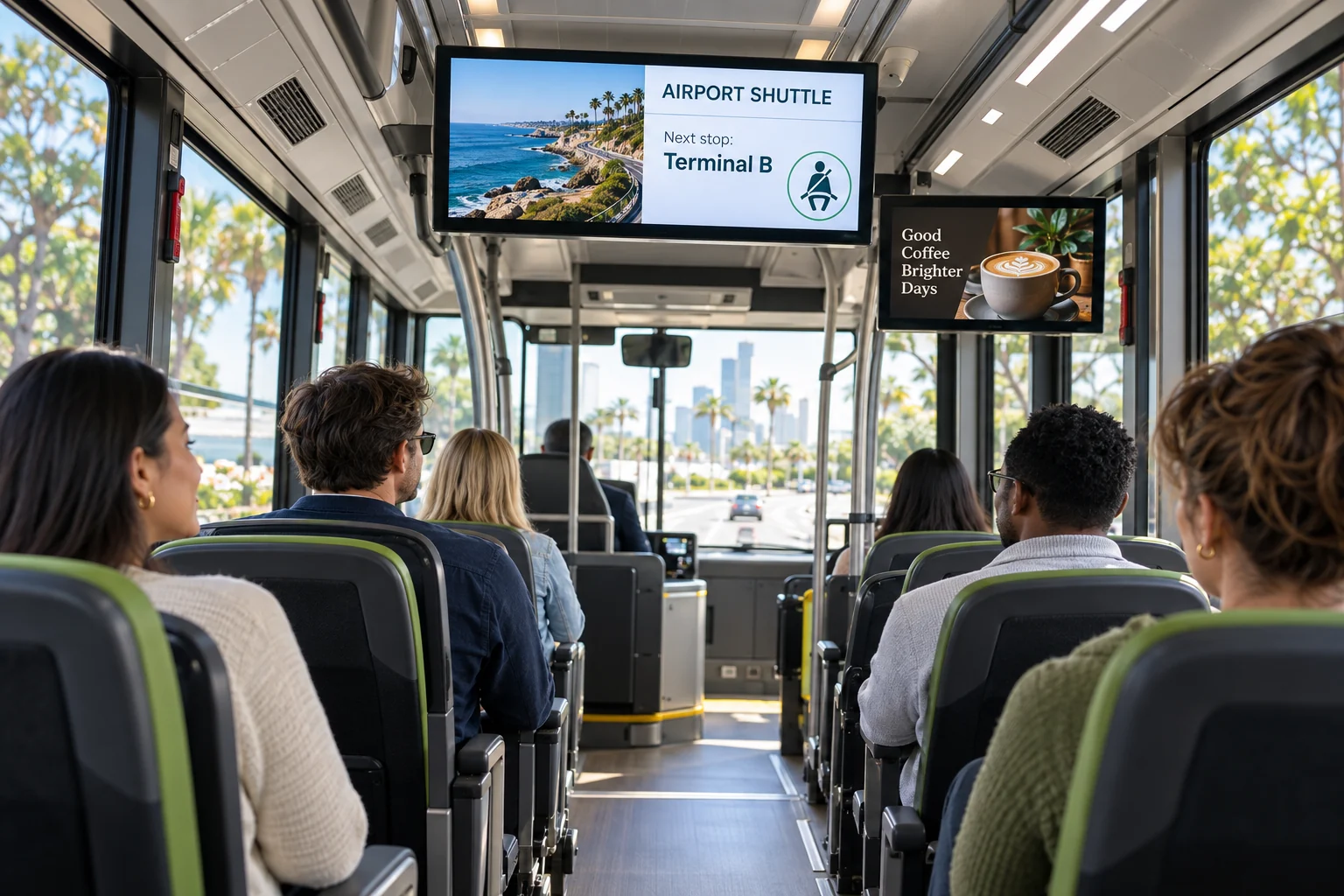
Give passengers something useful to watch along the way. Mix videos, local advertisements and simple trip information on the screens inside your bus or shuttle. From airport transfers to hotel rides and group trips, keep everyone informed without repeating the same instructions.
Your photos. Your message. Your screens.
Start with what your visitors already want to know. Then add a little personality.
Play your own welcome videos, destination highlights or a short introduction to the places passengers will visit. Use a slideshow for photos, or mix in uploaded videos to keep the ride interesting.
Show advertisements for restaurants, tours, hotels and nearby attractions. Add a QR code so passengers can open a website, see an offer or get more information on their own phones.
Show the route name, destination, planned stops and meeting point. Mix in reminders about seat belts, luggage, Wi-Fi or what to do when you arrive. Prepare separate slides for each trip and choose the right design before departure.
Destination highlights • Travel reminders • Local offers
Just one idea. Build a look that feels like you.
Create your content in the Online Design Studio and attach multiple licensed screens to the same design. Publish once to update the connected players, even when the buses are in different places. Download uploaded photos and videos while online before the trip; the player can keep showing that downloaded content when the connection drops. Online widgets still need internet. Use separate designs when different routes need different messages.
See what the software can doThe Online Design Studio is included in every plan. You can keep it simple and add more as you go.
Have something specific in mind? Tell us about it.
Ask us a questionThe trip information in this example is content you prepare and update yourself. It does not currently include GPS tracking, live stop detection or automatic arrival announcements. You can schedule slides by date, time and weekday on supported players, but those schedules follow the device clock, not the location of the bus.
No. Start with a ready-to-use template and change the text and pictures. If you would rather have someone create the design for you, ask about our menu design service.
You need a compatible TV or display setup running the Interactive Menus app, plus an account. Visit the app page to check the available platforms, or contact us before choosing a player. See the apps →
One screen or several locations. Start with what you need today.